At first glance, using the Samsung Galaxy Watch 8 with an iPhone does not seem like a major issue. The watch is new, well built, and for many buyers, it looks like it should work without much trouble.
In practice, the situation is more limited. The Galaxy Watch 8 can connect to an iPhone at a basic level, but much of the smartwatch experience is still designed around Android. This quickly turns the question from “how to connect” into whether the remaining features are enough to justify buying it in the first place.
Can the Samsung Galaxy Watch 8 work with an iPhone
At a basic level, the Samsung Galaxy Watch 8 can be paired with an iPhone, but this is not the same as full compatibility. The watch is built around Samsung’s Wear OS ecosystem, which is designed to work closely with Android devices, not iOS.
Because of this, the question is less about whether the watch can connect at all, and more about what kind of experience that connection actually delivers once the watch is used day to day.
No official iPhone pairing support
There is no official pairing experience between the Galaxy Watch 8 and iPhone. Samsung does not provide a dedicated iOS companion app for Wear OS, and core features of the watch depend on services that are not available on Apple’s platform.
This means the Galaxy Watch 8 cannot behave like a fully supported smartwatch when paired with an iPhone. The limitation is not caused by missing settings or incomplete setup, but by the fact that the watch is not designed to integrate with iOS at a system level.
iOS use is a limited workaround
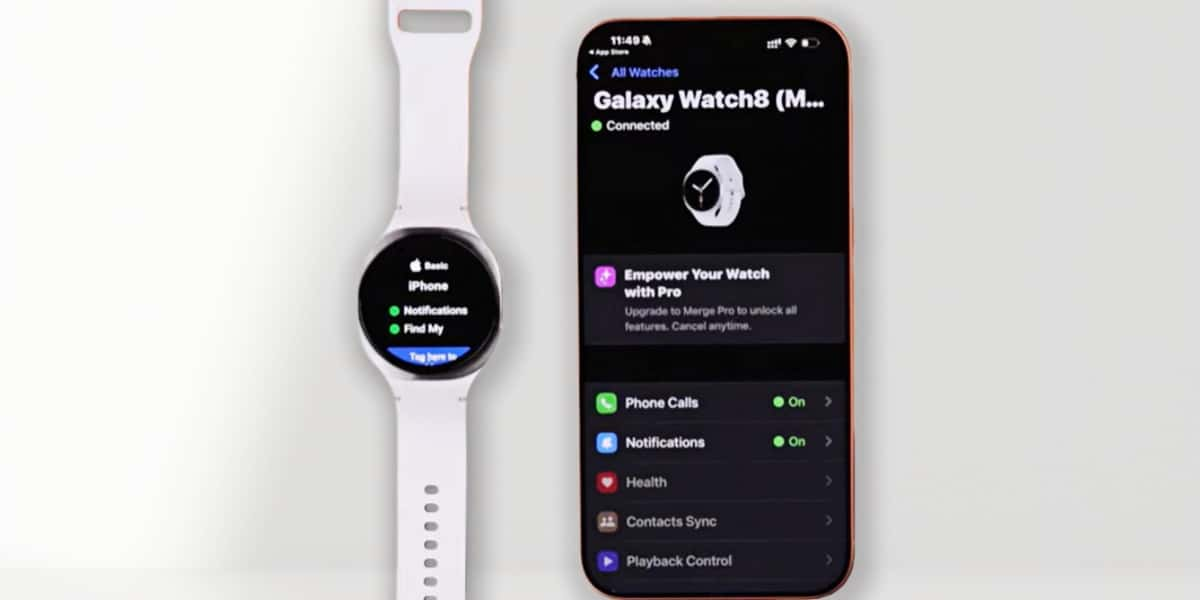
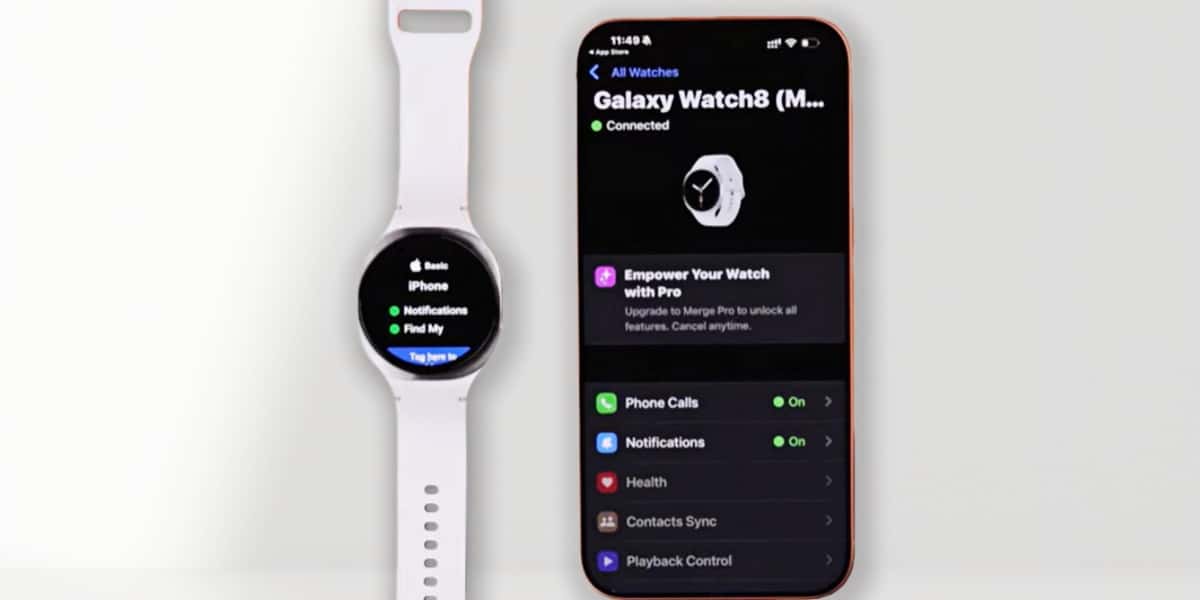
When the Galaxy Watch 8 is used with an iPhone, it is typically connected as a basic Bluetooth device rather than a full smartwatch companion. This allows some functions to work in a limited way, but the experience is noticeably reduced compared to using the watch with an Android phone.
- Basic Bluetooth pairing is usually possible.
- Some notifications may appear on the watch.
- Deeper features and background syncing are limited or inconsistent.
In practice, this setup works more like a temporary workaround than a complete solution. It can be enough to test the watch or use it casually, but it does not reflect the experience most people expect when buying a modern smartwatch.
How to connect the Samsung Galaxy Watch 8 to an iPhone
Connecting the Samsung Galaxy Watch 8 to an iPhone is possible, but the process is different from setting it up with an Android phone. Instead of an official setup flow, the connection relies on third-party tools and additional requirements.
Third-party apps required
Because there is no official iOS companion app for the Galaxy Watch 8, most connections rely on third-party “bridge” apps. These apps sit between the watch and the iPhone, allowing limited data to pass through.
In practice, using these apps usually involves:
- Installing one or more bridge apps on the iPhone.
- Granting background activity and notification permissions to keep the connection active.
- Keeping the bridge app running, as the connection may stop if the app is suspended.
- Rechecking permissions or reconnecting after iOS or watch software updates.
This setup can enable basic functions, such as some notifications, but it does not recreate the full smartwatch experience available on Android. Reliability varies, and ongoing maintenance is common.
Android setup required first
Before the Galaxy Watch 8 can be used with an iPhone, it must be set up using an Android phone. This step is required because initial activation, system access, and updates are tied to the Wear OS ecosystem.
The Android setup typically includes:
- Using an Android phone to activate and pair the watch.
- Signing in with a Google account during setup.
- Installing system updates and enabling core features.
- Repeating the process if the watch is reset or requires major updates.
Even after the watch is connected to an iPhone, access to an Android device remains part of the long-term setup. Updates and system-level changes continue to depend on Android, which affects how practical the setup is over time.
What features won’t work when used with an iPhone
Once the Galaxy Watch 8 is connected to an iPhone, some features remain unavailable or behave very differently from how they work on Android. These limitations are tied to how Wear OS integrates with Android, and they tend to show up quickly in everyday use.
Samsung Health sync and Samsung Pay
When used with an iPhone, the Galaxy Watch 8 cannot sync health data into Samsung Health in the usual way, and Samsung Pay cannot be set up on the watch.
- Health data recorded on the watch does not sync into the Samsung Health app on iOS.
- Long-term tracking, trends, and history are difficult to review on the phone.
- Switching phones or resetting the watch can result in data gaps.
- Samsung Pay setup is not available, so contactless payments on the watch are disabled.
In daily use, this means the watch can still collect data, but the experience of reviewing, managing, and relying on that data is limited compared to using the watch with an Android phone.
Messaging and full app integration
Messaging and app integration are also reduced when the Galaxy Watch 8 is paired with an iPhone. Without Wear OS support on iOS, the watch cannot interact with apps in the same way it does on Android.
- Incoming message notifications may appear, but replying from the watch is not supported.
- Messaging apps such as WhatsApp or Telegram cannot be used directly on the watch.
- App notifications can be inconsistent, especially after updates.
- App settings and controls are limited compared to the Android experience.
As a result, the watch works more like a notification display than an interactive communication device. This difference becomes noticeable for users who expect to handle messages or apps directly from their wrist.
How to troubleshoot common connection problems
When the Galaxy Watch 8 is used with an iPhone, connection issues are not unusual. Most of them are not caused by a single misstep during setup, but by the way Wear OS and iOS interact.
Bluetooth drops and reconnect loops
One of the most common issues is an unstable Bluetooth connection, where the watch disconnects and reconnects repeatedly. This tends to happen even after the initial pairing appears successful.
- The connection may seem stable at first, then become less reliable over time.
- Software updates on either the iPhone or the watch often trigger new disconnects.
- Re-pairing can temporarily restore the connection, but the issue may return.
These drops are usually not the result of incorrect settings. They reflect the fact that the Galaxy Watch 8 operates as a basic Bluetooth device on iOS, without deeper system-level integration.
iOS permissions and background limits
iOS places strict limits on background activity, which affects how reliably third-party bridge apps can maintain a connection between the watch and the phone.
- Notification delivery may be delayed or stop when apps are restricted in the background.
- Permissions can reset after iOS updates, requiring repeated checks.
- Even with permissions enabled, background processes may still be suspended.
As a result, connection behaviour can change without warning. This inconsistency is tied to iOS system policies rather than individual app configuration.
Reset only as a last resort
Factory resets are sometimes used to address persistent connection issues, especially after multiple failed pairing attempts.
- A reset clears previous pairings and restores the watch to its initial state.
- The setup process must be completed again using an Android phone.
- Any temporary stability gained after a reset may not persist long term.
While a reset can remove configuration-related issues, it does not change the underlying compatibility between the Galaxy Watch 8 and iOS. For many users, repeated resets become part of the cycle rather than a final fix.
Conclusion
When used with an iPhone, the Galaxy Watch 8 works more like a basic Bluetooth accessory than a full smartwatch. Some notifications get through, connections need attention, and certain features remain out of reach. Nothing here is unexpected once you know the limits, but those limits tend to show up again and again in everyday use.
FAQ
Can the Galaxy Watch 8 connect to an iPhone 17?
Yes, the Galaxy Watch 8 can connect to an iPhone 17 at a basic level. However, there is no official iOS support, and the connection works with limited functionality rather than full smartwatch integration.
Do I need an Android phone to set it up first?
Yes. An Android phone is required for the initial setup of the Galaxy Watch 8.
- Activation and first-time pairing must be completed on Android.
- A Google account is required during setup.
- System updates and major resets depend on Android.
How do I connect the Galaxy Watch 8 to a new phone?
When switching phones, the Galaxy Watch 8 typically needs to be reset and set up again using an Android device before it can be connected to an iPhone with limited functionality.
Why is my Galaxy Watch 8 not connecting to my iPhone?
Connection issues are usually caused by platform limitations rather than incorrect settings.
- The watch connects as a basic Bluetooth device on iOS.
- Third-party bridge apps rely on background permissions that can be restricted.
- Software updates may disrupt previously stable connections.